
Asset Downgrader v1.26 (5.6)
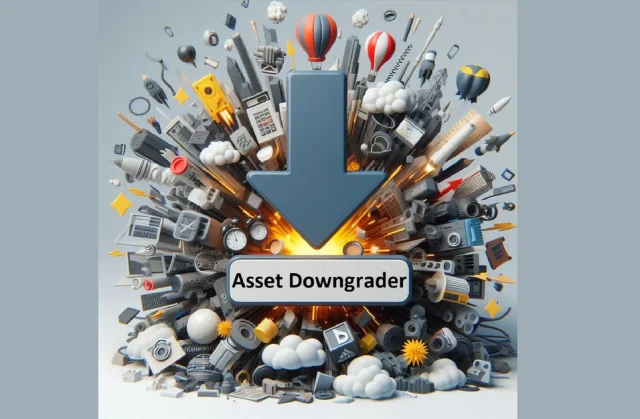
Do you need to migrate assets to a different project that uses an older Unreal Engine version ?
Have you migrated assets to an earlier version of the Unreal Engine and they don't seem to "appear" in the content browser ?
Do you want to make your assets available to people using earlier versions of Unreal Engine ?
Then what you need is to use the Asset Downgrader to downgrade those assets to the specific version you want.
Asset Downgrader will downgrade assets to 5.5.4, 5.4.4, 5.3.2, 5.2.1, 5.1.1, 5.0.3, 4.27, 4.26 . It works by first upgrading the assets to Source Version (5.3-5.6), and then applying various patches to the .uasset files in order to make them compatible with the TargetVersion, just without the newer data (i.e. nanite data is removed for a 4.27 downgrade). Do note that features of the newer unreal versions (like nanite on masked materials, new material nodes, new niagara modules) can't be ported to the old versions.
How it works :
First, backup all your assets as this plugin is highly experimental and in certain situations it may corrupt assets or crash the editor if something goes wrong.
Either have 2 projects, one the SourceVersion and the other with the TargetVersion, or just switch versions for the project you're working with. Integrate the plugin in both projects.
In the SourceVersion project, select the assets you wish to downgrade.
From the Downgrader menu choose DowngradeSelectedAssets.
Migrate the assets by copy pasting the .uassets . Do not use Unreal's Actions->Migrate... because that will resave assets in the SourceVersion format. Alternatively, switch the version of the project to the TargetVersion
If TargetVersion is a 5.0.3 project add
[Core.System]
UsePackageTrailer=True
to Config/DefaultEngine.ini
You will get a crash on opening assets in 5.0.3 if this is not enabled.
On the TargetVersion project add the google drive version of the plugin for that specific target version
Open the TargetVersion project and then the downgraded assets. If there were no errors, the assets should open correctly. Certain assets, in order to be migrated to other TargetVersion projects that don't have the Downgrader plugin, need to be resaved through the plugin ( select all the assets and use the plugin's SaveSelectedAssets option ) inside the TargetVersion editor.
Version: 1.26 (5.6)
Home Page: https://www.fab.com/listings/86a0ce48-ff38-493c-906d-8d2297067ee6

Ctrl
Enter
Noticed a misTake
Highlight text and press Ctrl+EnterRelated news:
Comments (0)
Information
Users of Guests are not allowed to comment this publication.
Users of Guests are not allowed to comment this publication.